
Daily update e-mails are suspended until further notice.
Last updated on May 7, 2024.
Joining the FM live bandscan requires the follow.
Install SDR Console and get it working with your radio hardware. You should be able to listen to FM broadcast stations before proceeding.
Install a virtual serial port pair and configure SDR Console. For more information on SDR Console serial port usage and compatible software, see https://www.sdr-radio.com/SerialPort
If you're using com0com, installing it should automatically create a virtual port pair or two that looks something like this when you run com0com setup:
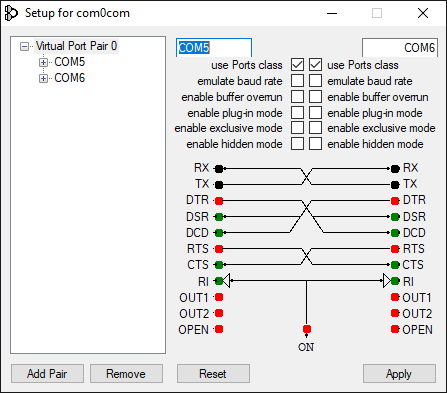
The software you will download from this site and SDR Console will use COM5 and COM6 in this example. If you only see a pair named CNCA0 and CNCB0 or similar, fix that by checking the two "use Ports class" check boxes and Apply. The names should change to COM5 and COM4 (or some other numbers). Make a note of the two COM numbers, you will need them later.
After you've installed and created a virtual serial port pair, configure SDR Console as follows:
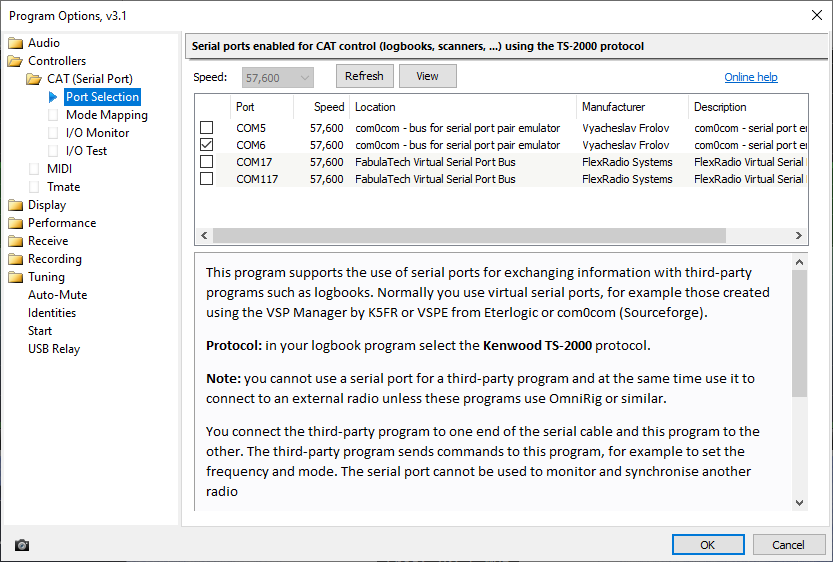
Select a virtual serial port. Navigate to Tools->Options under Controllers->Cat (Serial Port) section. Make sure only the higher numbered virtual serial port you created earlier is checked. It should look like this:
C:\Users\user\AppData\Roaming\SDR-RADIO.com (V3)\RDSDatabase.sqlite
of course the account name (user in this example) will be different on your computer.
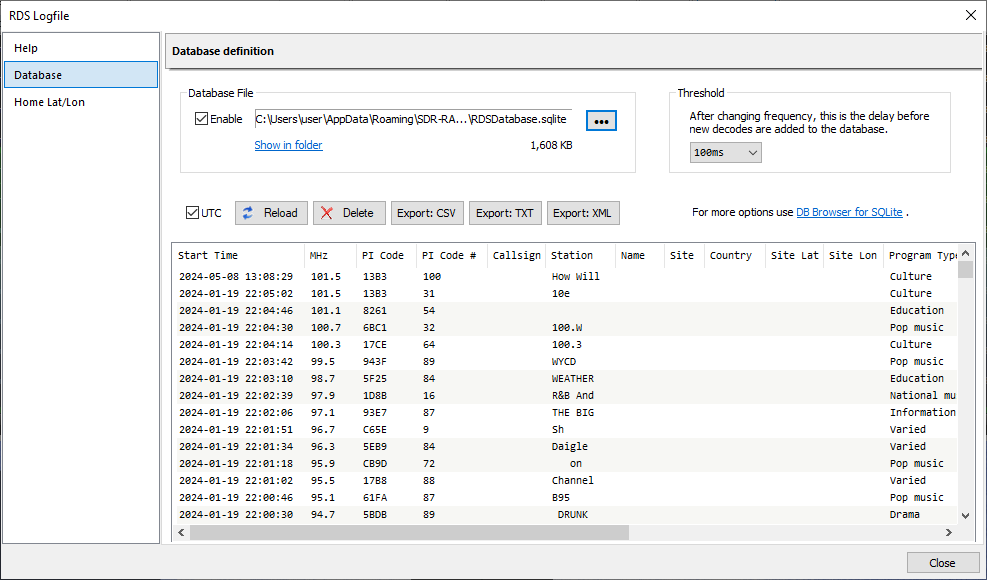
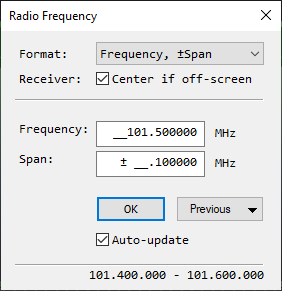
Then I need to do some server-side configuration and send you the program to install and a numeric user ID to enter into the installer for it. It will also ask for the virtual COM port to use. Use the lower virtual serial port COM number you created earlier.
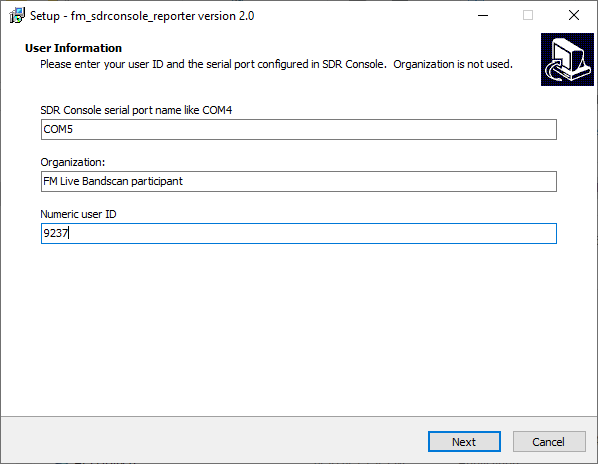
If everything goes OK, after a minute or so SDR Console will start scanning through the FM band and, after a few minutes, you will see results at https://rabbitears.info/tvdx/fm_all_tuners
If you have any further questions which are not answered here, please let me know. Enjoy!