
Table of Contents
Identifying Cellular Equipment
Not TV-related, but it turns out that identifying cellular equipment on a tower–to determine which carrier or carriers are present–is easier than one would think. Modern cellular equipment generally has a distinctive appearance such that it's generally pretty easy to tell carriers apart.
While the below is a guide, it is not absolute, and in some cases different equipment may be used that can be harder to identify. This is particularly true for antennas mounted on high-tension utility poles, or in places where equipment otherwise needs to be smaller for some reason.
AT&T
AT&T equipment has become more distinctive in the past year or two, but it's possible to positively identify older AT&T sites as well with a close enough look at the equipment.
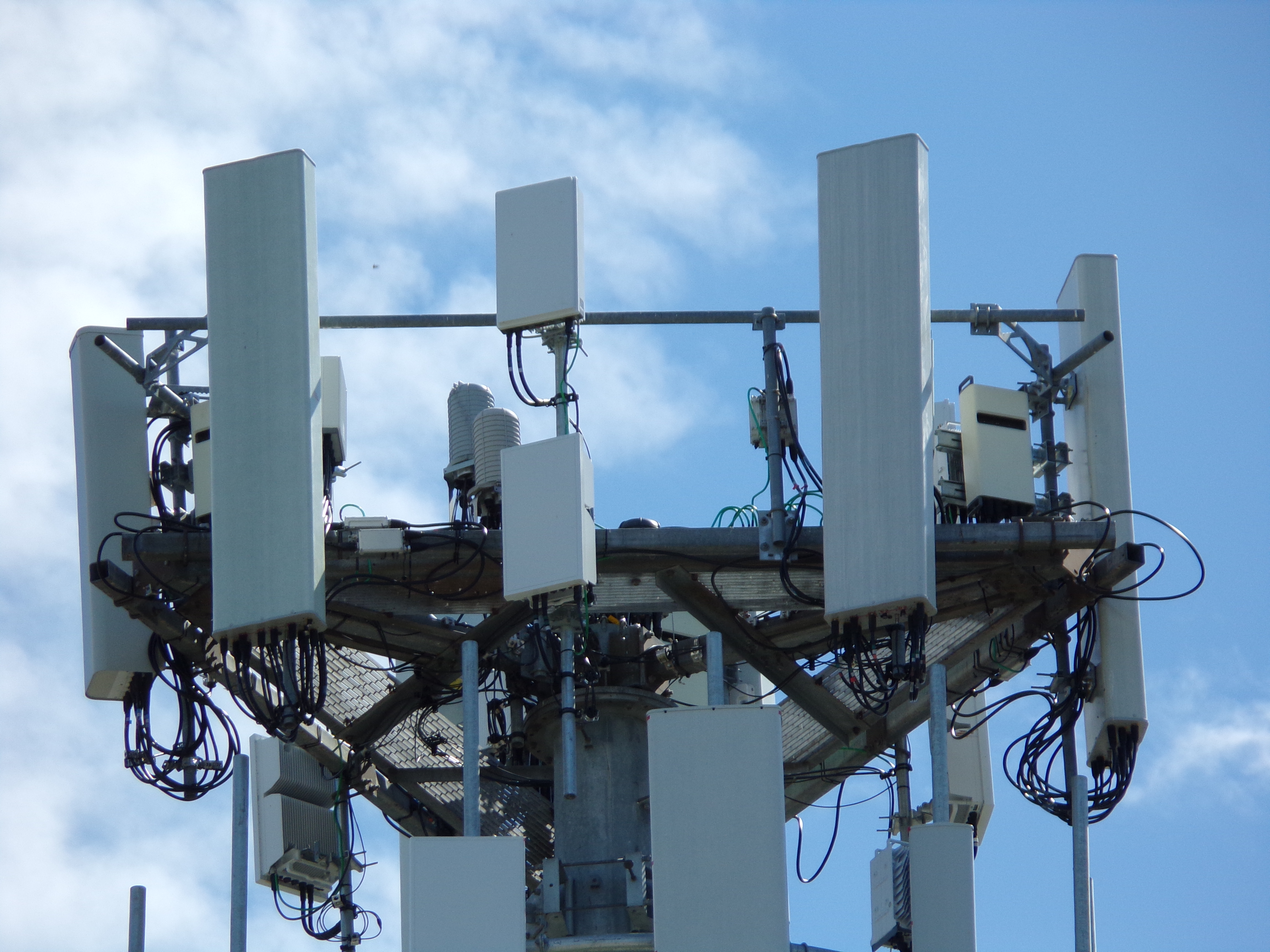
Newer sites have the two almost-square panels, one each for C-band and 3.45 GHz. Some sites installed before one band or the other will have one such panel, but clearly placed such that another can fit above or below. This is generally associated with two identical more typical-looking panels, as seen here.
Both older and newer sites can have the distinctive surge protector, generally called a Raycap after the company that makes them. In the above photo, there are actually two of them, which you can see above and to the left of the lower almost-square panel. They are cylindrical in shape, and only AT&T is known to use that style.
Verizon
Verizon equipment has similarly become more distinctive in the newest setups, but also has a tell akin to that of AT&T.
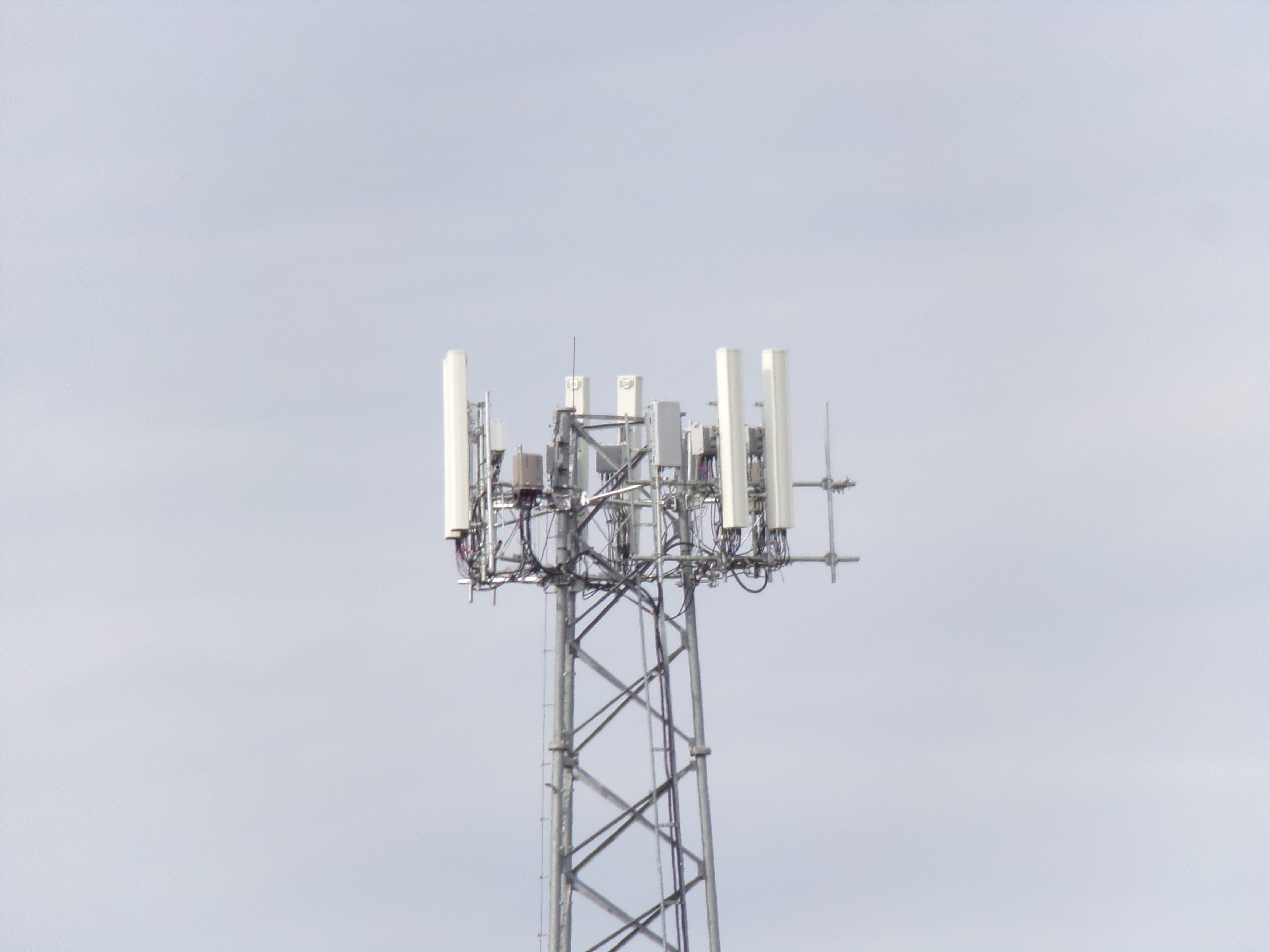
On newer setups, you will generally see two identical panels, plus a smaller but still rectangular panel for C-band. You can clearly see this arrangement in the rack on the photo above.
For both older and newer setups, you should look for Verizon's distinctive surge protector. Also made by Raycap, it's more rectangular in shape, and you can see it in the photo above to the right of the left-facing panels relative to the camera.
T-Mobile
T-Mobile equipment was the first to be particularly distinctive, through use of a long panel in between two shorter, existing panels. That setup is now largely discontinued in favor of the modern setup seen here.
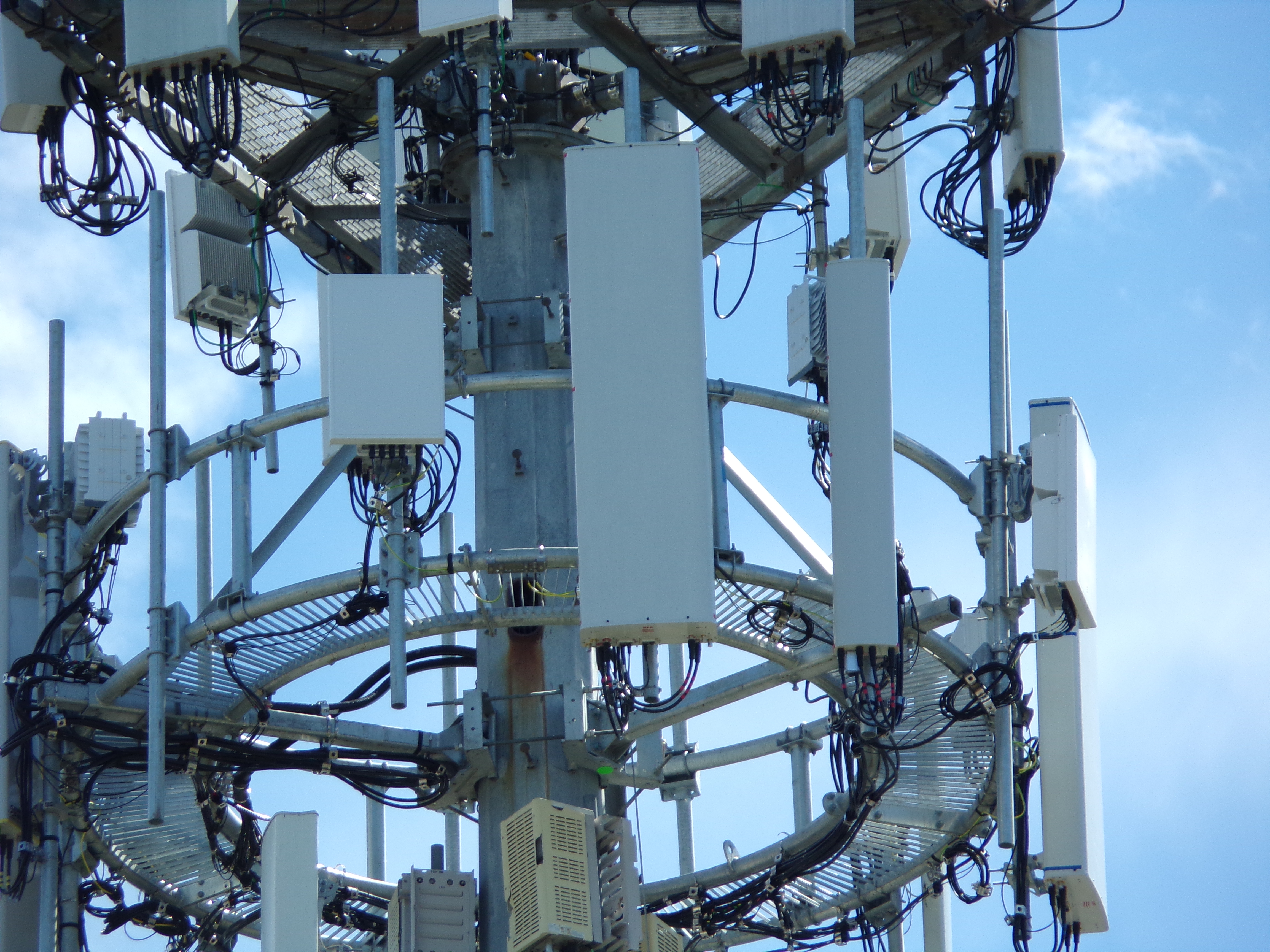
This is a typical T-Mobile setup in certain parts of the country. There's a very short, almost-square panel used for 2.5 GHz. There's then the very large panel, sized for 600 MHz but used for other bands as well, plus one or, in rare cases, two mid-band panels that are sized somewhere in between the two.
On some towers in less congested areas, no 2.5 GHz panel will be present, and just the larger panel and the mid-band panel.
In some parts of the country, no separate mid-band antenna is used, and you'll see just the larger panel and the 2.5 GHz panel, or in a less congested area, the single larger panel by itself.
Dish Wireless
Dish Network spent a number of years obtaining spectrum licenses in FCC auctions, and as a result of the Sprint/T-Mobile merger in 2020, was required to build its own separate network. It turns out Dish's equipment is quite distinctive and easy to spot.
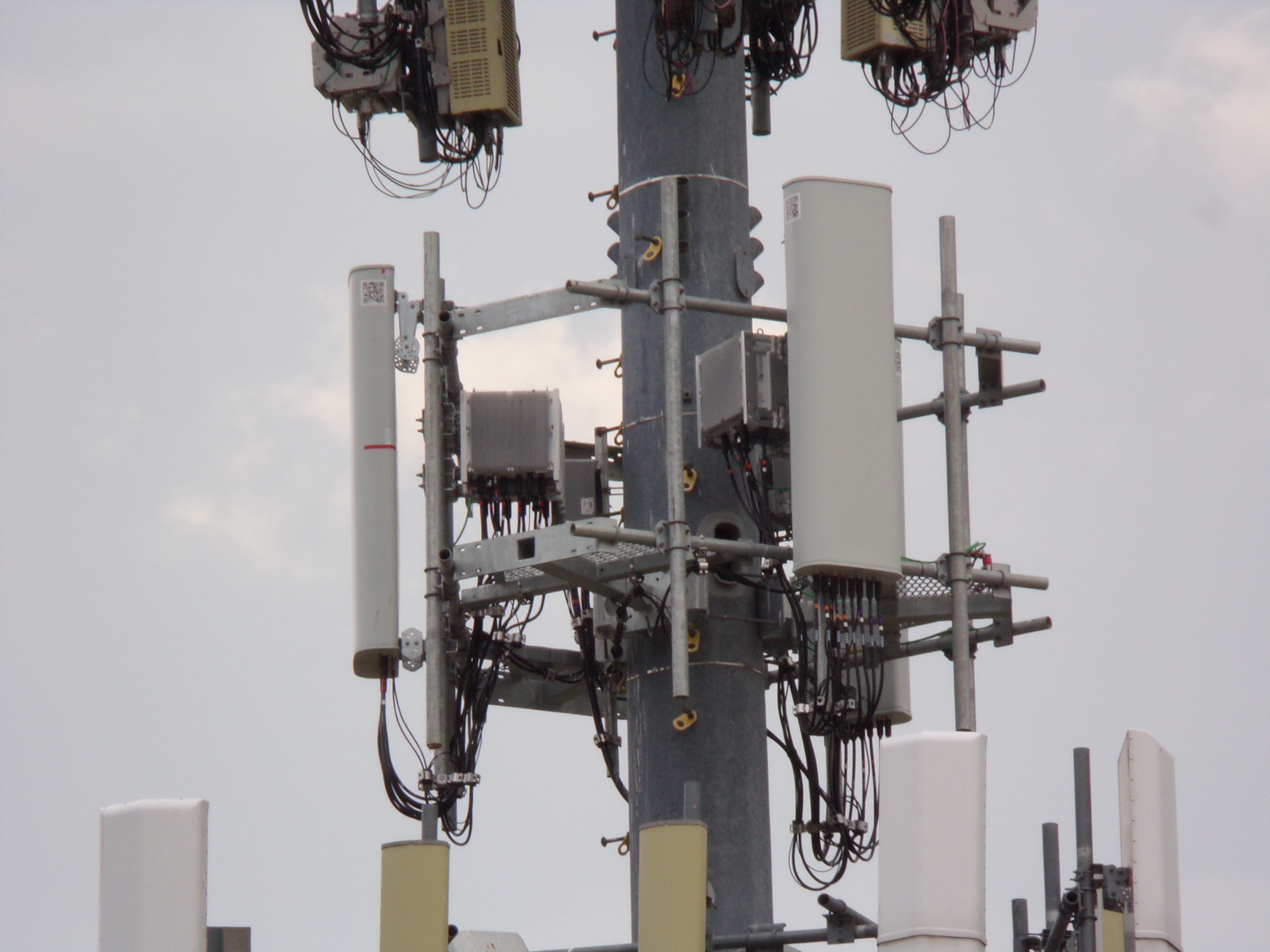
Dish generally uses a single panel per sector on a narrow rack, but the sides of each panel have a QR code sticker attached. Panels come from the manufacturer with these stickers attached, and while most carriers remove them, Dish has opted to leave them attached.
US Cellular
US Cellular, a regional carrier only in certain parts of the US, also has a characteristic that makes its setups look distinct from others.
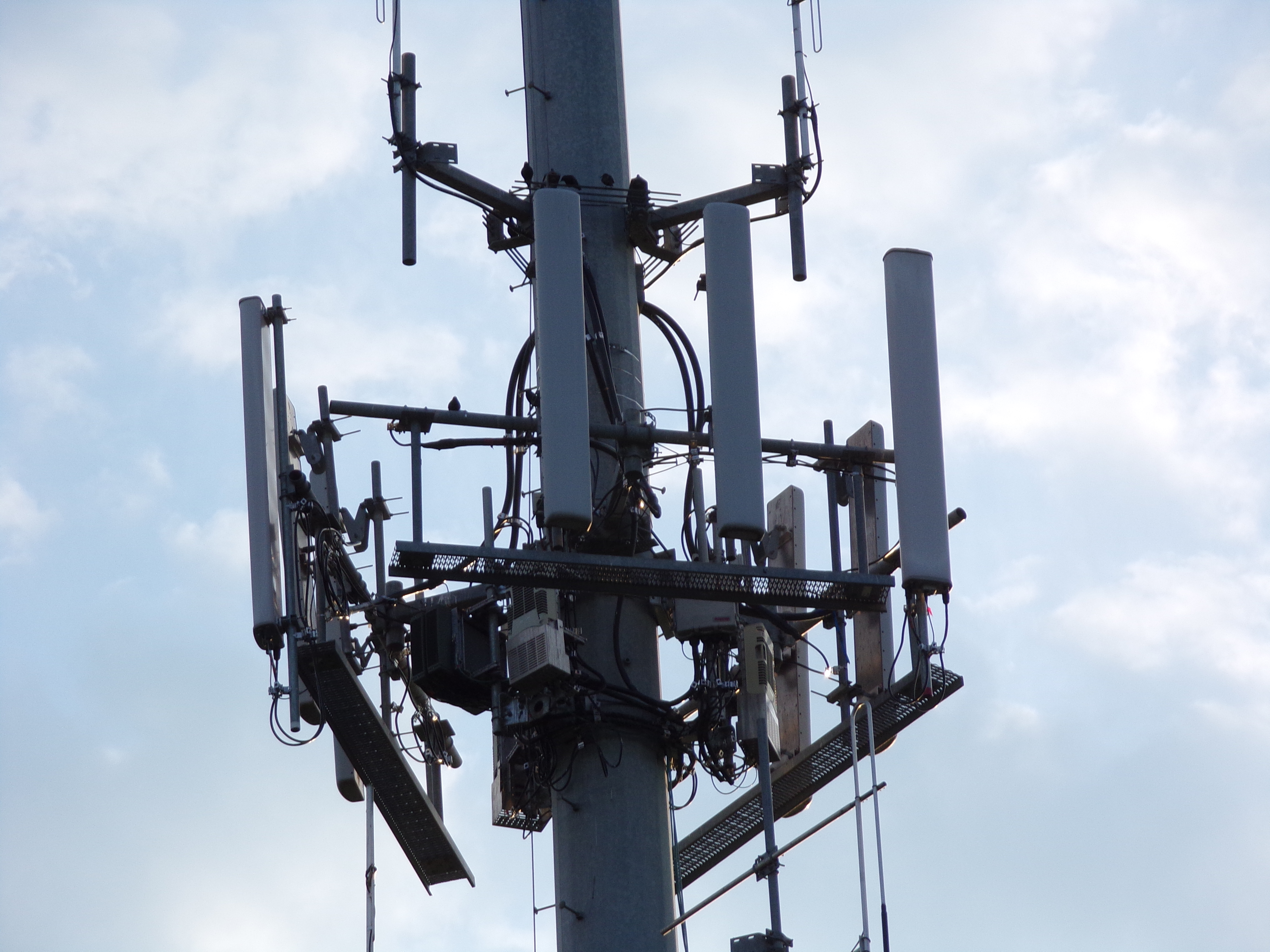
US Cellular is the only carrier known to mount its radio equipment to the tower itself, rather than to the rack like the other carriers do. It can be hard to spot from a distance, but is a reliable way to tell that you're looking at US Cellular.
Sprint
Sprint is largely gone now, but its equipment was pretty standardized as well.
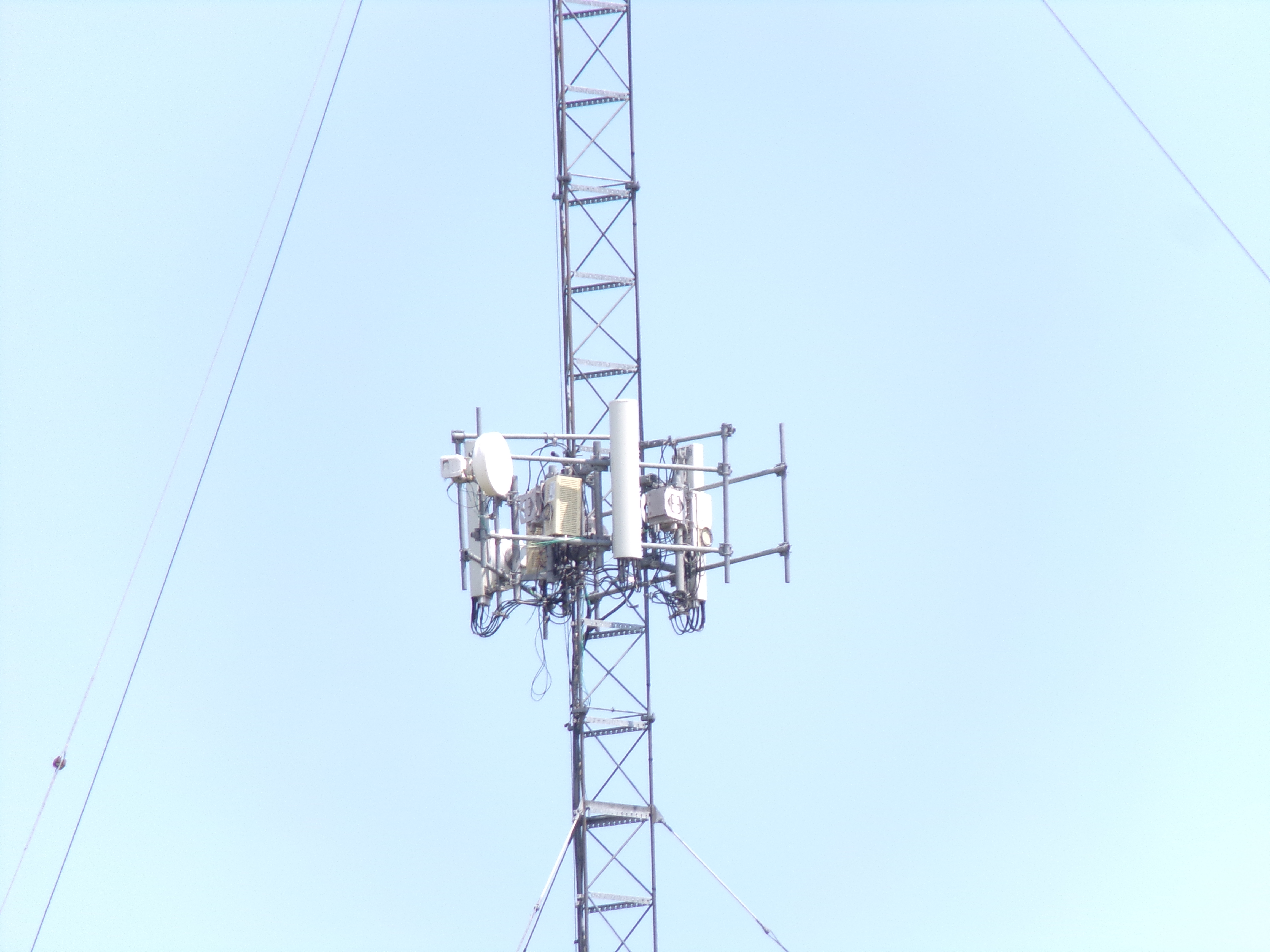
For a site installed since about 2012 without 2.5 GHz, Sprint would use a single panel that looked something like this, called the “Network Vision” panel. In this region, at least, it was a rounded but relatively narrow panel.
Sometimes you would see an additional panel on older sites along side this one.
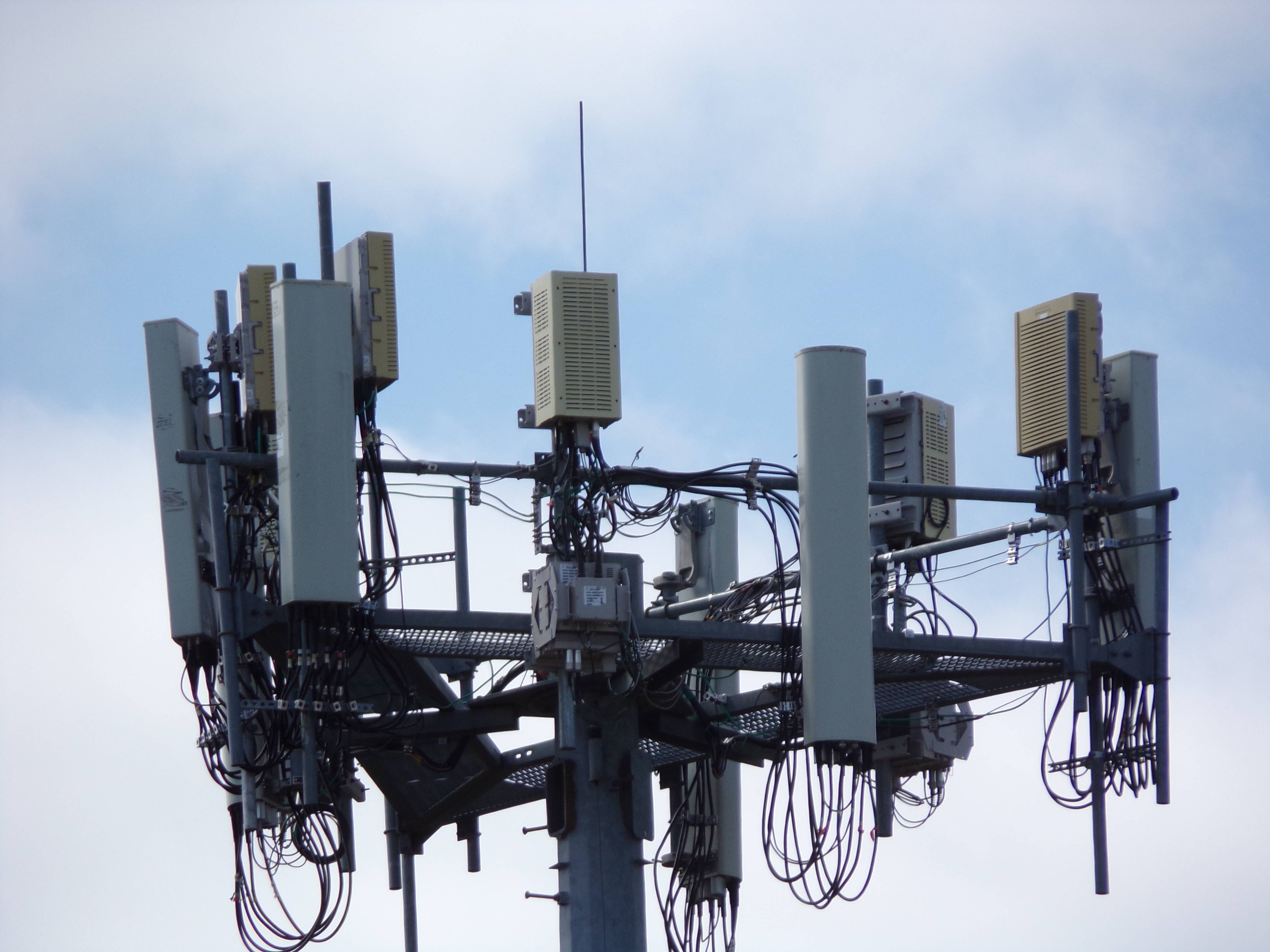
For a site installed since about 2012 with 2.5 GHz, Sprint used the panel noted above with a second panel for 2.5 GHz which was slightly shorter and more angular, known as the “8T8R.” You can see it in the photo above at the left, with the Network Vision panel at the right. They were usually mounted as shown, such that the 8T8R appeared to be mounted slightly higher on the rack.
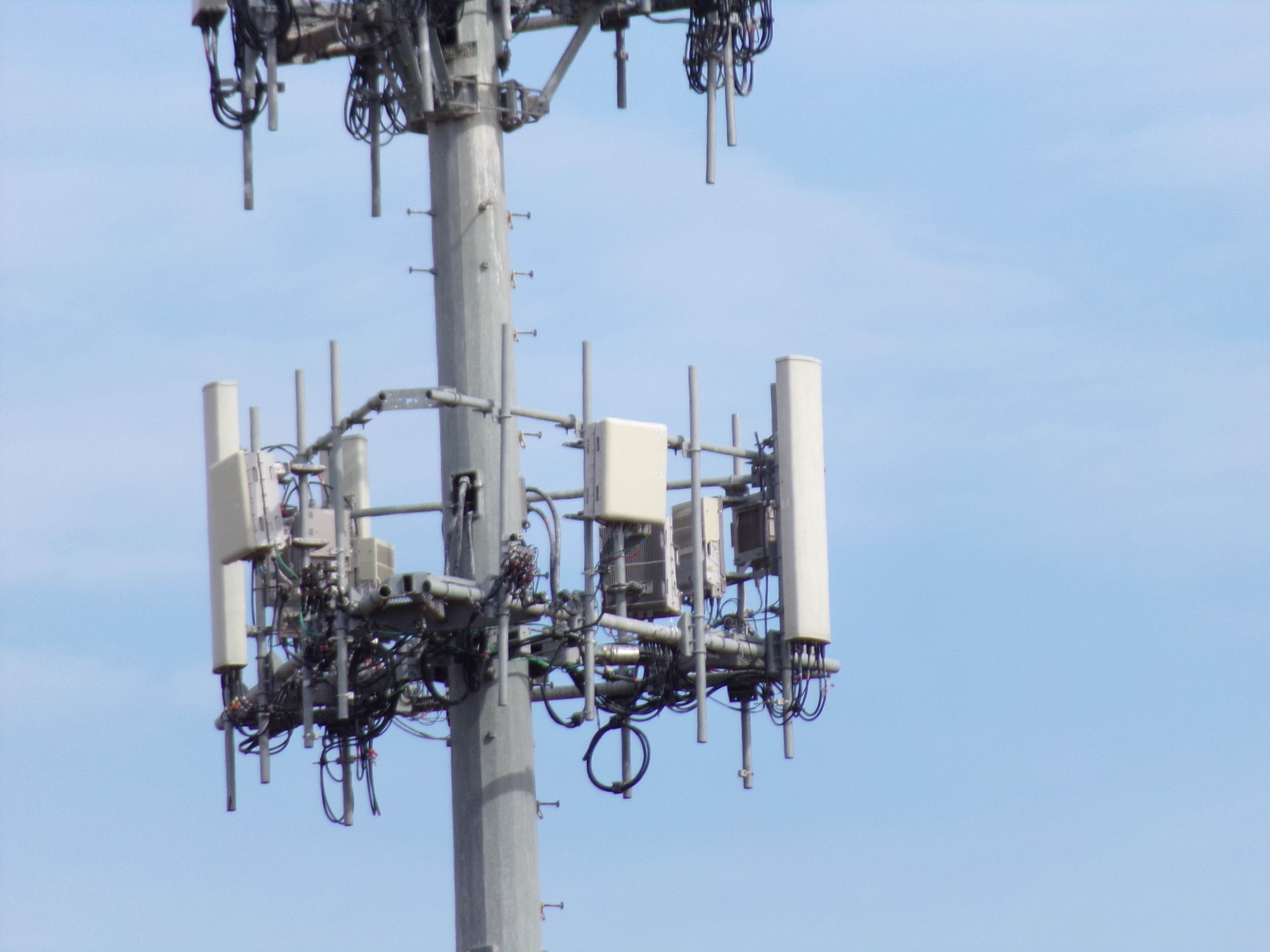
For a site installed more recently that has 2.5 GHz, Sprint used a square panel, as seen above, along with the Network Vision panel. In some cases, they used a larger panel that looked more like the T-Mobile 600 MHz panel in lieu of the Network Vision panel.
Clearwire
Clearwire was obtained by Sprint some time ago, but some of its equipment remained in use by Sprint up until the Sprint network was shut down following the T-Mobile merger.
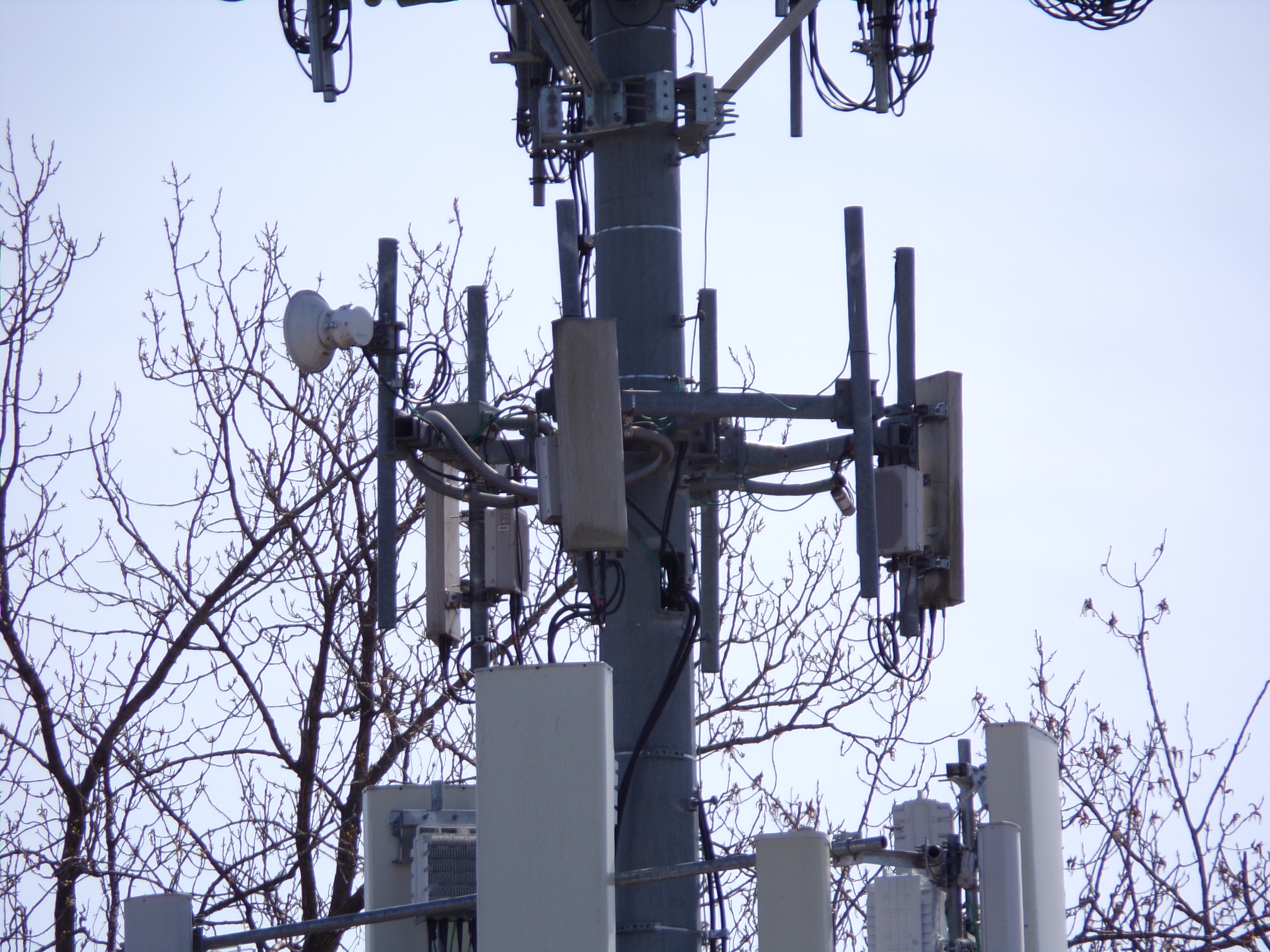
There was generally a single, relatively small panel per sector on a small rack, often with a microwave dish as can be seen at the left side of the image. Most of these are now gone.
Nextel
While the Nextel network hasn't existed as a separate entity for more than a decade, its equipment can sometimes still be seen, abandoned, on towers in various locations.
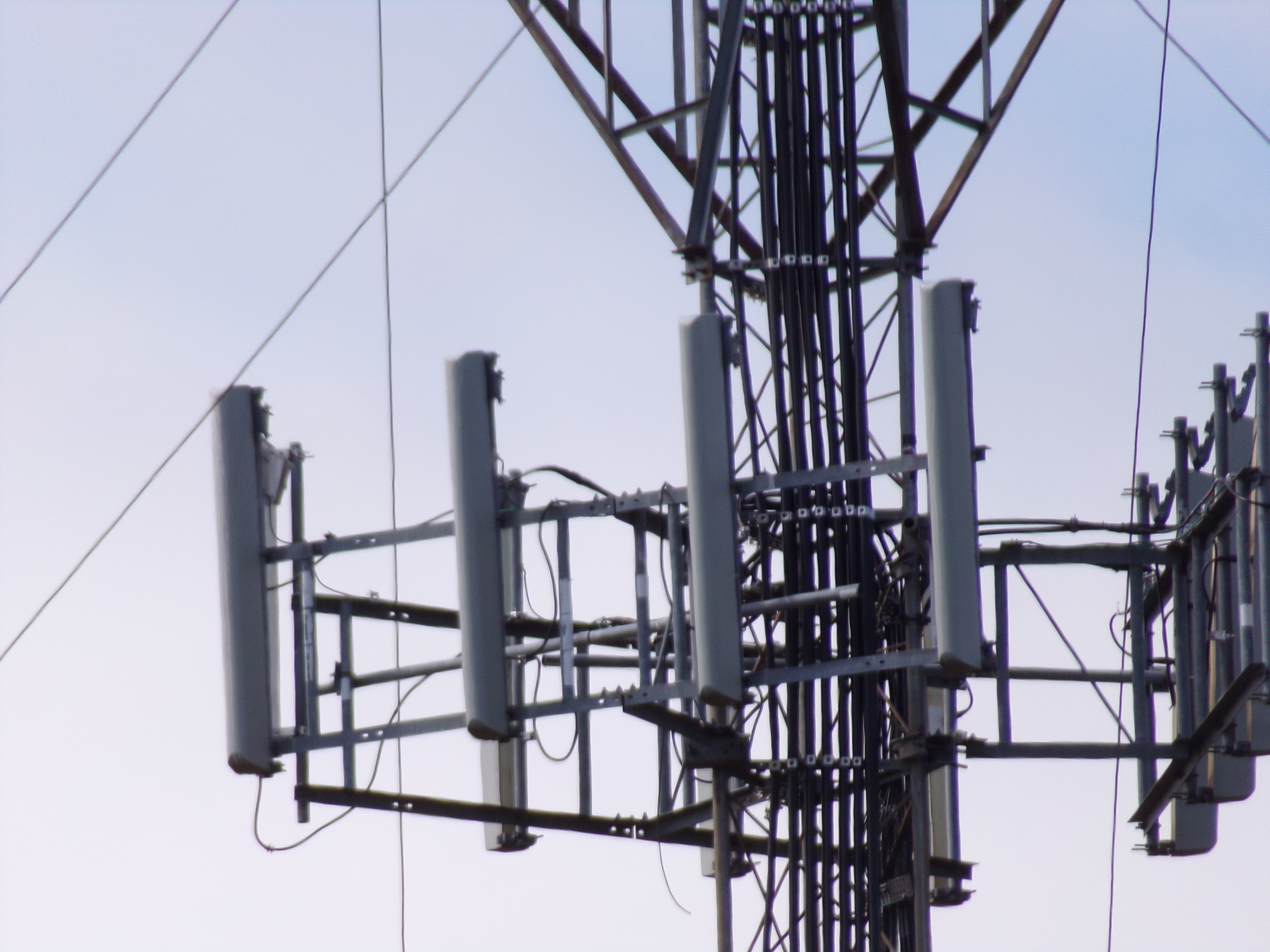
This photo shows the narrow, rounded antennas Nextel used in this region, often in sets of three or four per sector.
Others
While there's definitely other carriers or equipment for non-carriers on towers out there, this is designed to be a very quick and simple guide to get one started in identifying carriers on a tower. Hopefully this will get you started!